
Download Hypercontext – AI‑Powered Performance Review & Meeting Management Tool
Overview
Hypercontext is an AI‑driven, browser‑based platform that reimagines how teams conduct performance reviews and run meetings. By automatically turning raw meeting notes, goal updates, and action items into structured feedback, the tool helps organizations keep conversations focused, outcomes measurable, and development continuous. Integrated with Slack, Microsoft Teams, Google Workspace, and Outlook, Hypercontext supplies ready‑made templates for 1‑on‑1s, team syncs, remote stand‑ups, and agile ceremonies, while also offering a library of more than 360 role‑specific goal examples.
Whether you’re a manager looking to streamline quarterly reviews, a HR professional seeking unbiased performance data, or an individual contributor craving clearer growth paths, Hypercontext delivers real‑time AI insights that keep meetings purposeful and performance management on track. The platform’s emphasis on security—end‑to‑end encryption, GDPR compliance, and role‑based access—means sensitive corporate data stays protected while the AI engine learns from your organization’s language and cadence to improve its suggestions over time. In short, Hypercontext blends productivity, transparency, and data‑driven decision‑making into a single, secure, and easy‑to‑access web app that works across Windows, macOS, Linux, Android, and iOS devices.
Key Features & AI Benefits
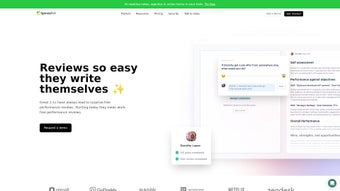
- AI‑Generated Performance Summaries: Instantly synthesize meeting notes, action items, and goal progress into concise performance reviews.
- Goal‑Setting Library: Access over 360 role‑specific and personal development goal examples to inspire clear, measurable objectives.
- Dynamic Meeting Templates: Choose from 1:1, team, remote, and agile templates that pre‑populate agendas, discussion points, and decision logs.
- Real‑Time Feedback Loop: Receive instant AI‑driven suggestions during meetings to keep conversations aligned with outcomes.
- Seamless Integrations: Connect with Slack, Microsoft Teams, Google Suite, and Outlook for automatic sync of calendars, notes, and follow‑ups.
- Shared Goal Tracking: Set, monitor, and update shared objectives across individuals and teams in a single dashboard.
- Decision Documentation: Capture key decisions and assign owners directly within the meeting flow, reducing post‑meeting email clutter.
- Security & Compliance: End‑to‑end encryption, GDPR‑ready data handling, and role‑based access controls keep corporate information safe.
- Customizable Reporting: Export performance data and meeting analytics to PDF, CSV, or integrate with BI tools for deeper insights.
- Continuous Learning Engine: The AI model improves over time, learning from your organization’s language, cadence, and feedback patterns.
Each of these capabilities works together to eliminate manual note‑taking, reduce bias in performance evaluations, and create a culture of transparent, data‑driven conversations. The AI not only compiles information but also highlights gaps, recommends next steps, and surfaces trends across teams—helping leaders make proactive decisions rather than reacting after the fact. By automating routine administrative tasks, Hypercontext frees up valuable time for strategic thinking and relationship building, ultimately driving higher engagement and productivity across the enterprise.
Installation, Setup, and Daily Workflow
Getting started with Hypercontext is intentionally straightforward. Because the platform is fully web‑based, there is no traditional software download or local installation—just a secure login via your corporate SSO or email credentials. Below is a step‑by‑step guide that walks you through account creation, integration setup, and how to embed Hypercontext into your everyday routine.
- Create an Account: Visit hypercontext.com and sign up using your work email. If your organization uses Azure AD, Okta, or Google Workspace, select the SSO option for seamless authentication.
- Invite Your Team: After confirming your account, upload a CSV of employee emails or invite members directly from Slack or Microsoft Teams. Each invitee receives an onboarding email with a quick‑start guide and a link to set their password.
- Connect Integrations: Navigate to Settings → Integrations and toggle the switches for Slack, Teams, Google Calendar, and Outlook. Grant the necessary permissions so Hypercontext can read calendar events, write meeting notes, and push summaries back to the chosen platform.
- Configure Templates: Browse the Template Library and select default meeting types for your organization. Customize agenda items, time allocations, and decision fields to match your unique workflow.
- Set Up Goals: Use the Goal Library to import pre‑built objectives or create custom goals. Assign owners, due dates, and key results, then link each goal to relevant meetings for automatic progress tracking.
- Run Your First Meeting: When a meeting is scheduled, Hypercontext automatically generates an agenda within the calendar invite. During the session, the AI surfaces suggestions, captures notes, and logs decisions in real time.
- Generate Review Summaries: After the meeting, the AI compiles a performance summary that can be sent to participants or stored in the employee’s profile. Managers can edit, approve, or add commentary before finalizing the review.
- Review Analytics Weekly: Use the dashboard to monitor goal completion rates, meeting effectiveness scores, and feedback loops. Adjust templates or goal definitions based on the insights you discover.
Because Hypercontext lives in the cloud, updates are rolled out automatically—no manual patches or version checks are required. Users always benefit from the latest AI improvements, security patches, and feature enhancements without any downtime. The platform also offers a mobile‑optimized web view, ensuring that remote or traveling team members can participate fully from any device, whether they’re on a laptop, tablet, or smartphone.
Compatibility, Pros, Cons, FAQ, and Final Verdict
Hypercontext is a browser‑based solution, meaning it runs on any modern operating system that supports Chrome, Edge, Firefox, or Safari. The service is optimized for Windows 10/11, macOS Monterey and later, as well as Linux distributions with up‑to‑date browsers. Mobile access is seamless on Android 8.0+ and iOS 13+, thanks to responsive design and progressive web app (PWA) capabilities that allow offline note taking and sync once connectivity is restored.
Pros
- AI automatically creates performance reviews, saving hours of manual drafting.
- Deep integration with Slack, Teams, Google Workspace, and Outlook streamlines workflow.
- Extensive library of templates and role‑specific goals accelerates onboarding.
- Real‑time feedback keeps meetings focused on outcomes rather than drift.
- Secure, GDPR‑compliant data handling meets enterprise compliance requirements.
- Cross‑platform accessibility ensures consistency for remote and hybrid teams.
- Scalable pricing model works for startups to large enterprises.
Cons
- AI suggestions may need occasional human oversight to avoid context misinterpretation.
- Subscription pricing can be a barrier for very small teams without a dedicated budget.
- Initial setup of integrations and goal libraries requires a moderate time investment.
- Advanced reporting features are locked behind higher‑tier plans.
- Limited offline functionality beyond the PWA’s note‑taking capability.
Frequently Asked Questions
Is Hypercontext free to use?
Hypercontext offers a 14‑day free trial for new users, after which a subscription fee applies. Pricing tiers are based on the number of active users and feature access.
Can Hypercontext integrate with existing HRIS systems?
Yes. In addition to Slack, Teams, Google Suite, and Outlook, Hypercontext provides API endpoints and Zapier connectors that can sync performance data with popular HRIS platforms like Workday, BambooHR, and SAP SuccessFactors.
How secure is the data stored in Hypercontext?
Data is encrypted both at rest (AES‑256) and in transit (TLS 1.3). Hypercontext complies with GDPR, SOC 2 Type II, and ISO 27001 standards, offering role‑based access controls and audit logs for enterprise security.
Does the AI ever replace human judgment in performance reviews?
No. The AI provides structured summaries and suggestions, but final approval and nuanced feedback remain the responsibility of managers and employees. This ensures a balanced blend of data‑driven insight and human empathy.
What kind of support does Hypercontext offer?
Subscribers receive 24/7 email support, a dedicated account manager for enterprise plans, live chat during business hours, and a comprehensive knowledge base with video tutorials and best‑practice guides.
Final Verdict: Hypercontext delivers a compelling blend of AI‑driven performance management and meeting productivity. While the cost may be a consideration for very small outfits, the time saved on manual review drafting and the boost in meeting effectiveness make it a worthwhile investment for growth‑focused organizations. Ready to experience smarter meetings and automated performance insights? Start your free trial today and see how Hypercontext can streamline your workflow.



.png)



